Affiliate Disclosure: This post may contain affiliate links. If you buy through one of them, we may earn a commission at no extra cost to you. Our picks are based on manufacturer information, diabetes-technology reporting and published reviews. Read our full Affiliate Disclosure for details.
The Best Smartwatch for Diabetics in 2026
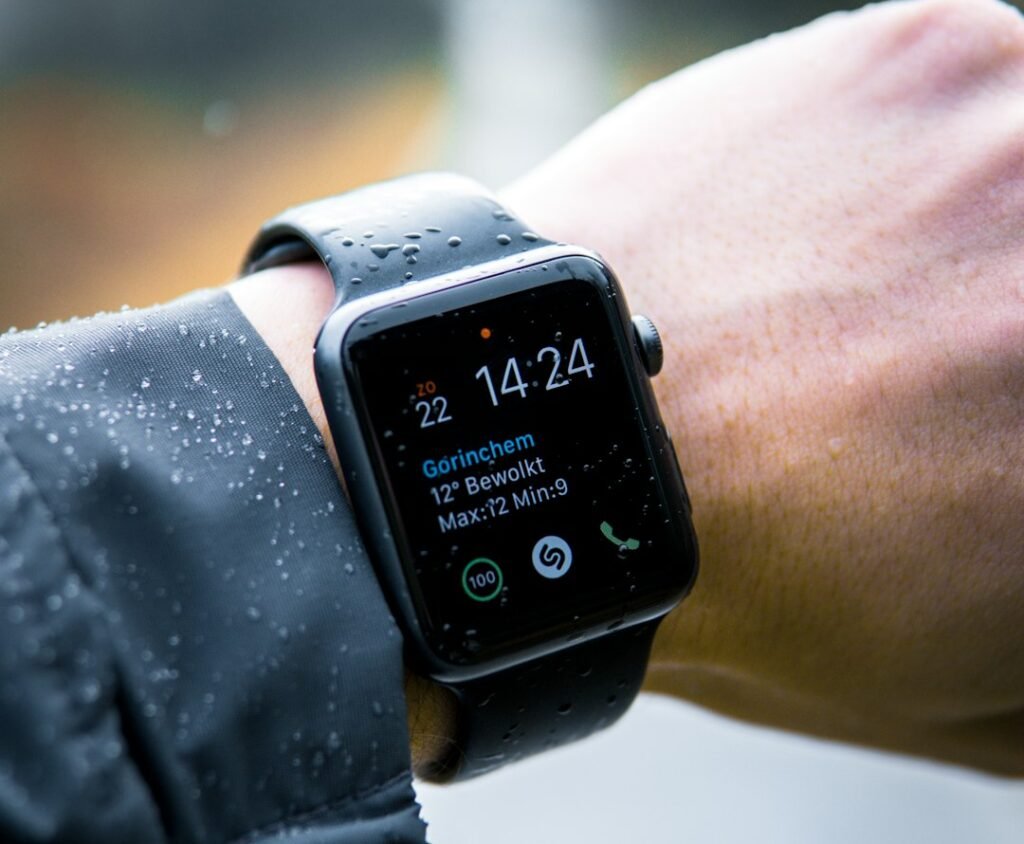
The best smartwatch for diabetics is not a watch that measures blood sugar. No such watch exists yet. Instead, the best choice is a watch that shows readings from your continuous glucose monitor (CGM) on your wrist. That saves you from pulling out your phone all day.
Which watch works best depends on your CGM and your phone. In this guide, we explain how the main platforms compare. We also cover the safety limits you should know before you buy.
Quick Answer
- Best for iPhone users: Apple Watch. It supports several CGM systems, and Dexcom G7 can show readings on the watch without an iPhone nearby.
- Best for Android users: Samsung Galaxy Watch or Google Pixel Watch, paired with the Dexcom G7 app.
- Best for battery life and outdoor use: Garmin, using the Dexcom Connect IQ app.
- Not recommended: any watch that claims to measure glucose by itself.
Important: Smartwatches Do Not Measure Blood Glucose
This point matters more than any spec. In 2024, the FDA warned that smartwatches and smart rings that claim to measure blood glucose without piercing the skin should not be used for that purpose. The agency has not authorized any such device.
Wrong readings can cause wrong medication doses. For that reason, a watch should only display data from an FDA-authorized CGM. The sensor on your arm does the measuring. The watch simply shows the result.
Best Smartwatches for Diabetics at a Glance
| Platform | CGM support | Battery life* | Approximate price* |
|---|---|---|---|
| Apple Watch | Apps for Dexcom, Abbott and Eversense; Dexcom G7 direct to watch | About 18 to 42 hours | $249 to $799 |
| Samsung Galaxy / Pixel Watch | Dexcom G7 app via a connected Android phone | About 1 day to nearly a week | $350 to $650 |
| Garmin | Dexcom G7 via Connect IQ app; phone needed | About 5 to 30 days | $250 to $900 |
| Fitbit | No native CGM display; third-party apps | About 5 days to over a week | $100 to $250 |
*Ranges come from a July 2026 diaTribe overview. Prices and compatibility change often.
1. Apple Watch: Best for iPhone Users

Apple Watch has the broadest official support. Apps exist for Dexcom, Abbott and Eversense systems. Some automated insulin delivery systems also offer watch apps.
The standout feature is Dexcom’s direct-to-watch option. With a compatible Apple Watch, G7 users can see readings and alerts without an iPhone nearby. That helps during workouts and swims, when you leave the phone behind.
Trade-offs: Battery life is short, from about 18 to 42 hours. Premium models also cost more. Compare it with Garmin in our Apple Watch vs Garmin guide.
2. Samsung Galaxy Watch and Pixel Watch: Best for Android
Android users can choose Samsung Galaxy or Google Pixel watches. Dexcom’s G7 app shows readings and trends on a compatible watch through a connected Android phone. Abbott’s Libre systems can also send notifications to a Galaxy Watch, depending on your app settings.
The free Gluroo app can show readings from G7 and Libre sensors as well. Samsung Health also tracks steps, sleep, heart rate and stress, so you can view glucose next to other habits.
Trade-offs: A compatible phone must stay nearby. In addition, features vary by model, so check the compatibility page first.
3. Garmin: Best for Battery Life and Outdoor Use
Garmin watches show CGM data through the Dexcom Connect IQ app. The app displays G7 readings, a trend arrow and a three-hour history on compatible Garmin watches. Some athletes also add glucose as a data field during workouts.
Battery life is the big advantage. It ranges from about five days on fitness models to 30 days on rugged ones. That suits hikers and long-distance runners.
Trade-offs: Garmin needs a connected smartphone with internet access to receive Dexcom data. Prices also climb quickly on premium models. Our best smartwatch guide covers more health features.
Other Wearables Worth Knowing
Not every device has a screen. Fitbit trackers do not have a native CGM display. You can add third-party apps, but setup is less smooth. The Oura Ring has no screen either. Still, its app can show glucose readings from Dexcom Stelo, an over-the-counter CGM for adults who do not use insulin. See our Oura Ring vs Whoop comparison for ring and band options.
Safety Tips Before You Rely on a Watch
- Keep your main CGM display active. Do not depend on the watch alone for urgent alerts.
- Expect delays. Bluetooth links can drop, and notifications can arrive late.
- Charge the watch daily if needed. A dead watch means no wrist alerts.
- Confirm compatibility. Check your exact CGM, phone and watch model on the manufacturer’s page.
- Follow your care team’s advice. Alert settings and treatment decisions should come from your provider.
Which Should You Choose?
Choose Apple Watch if you:
- Use an iPhone and a Dexcom G7
- Want readings without carrying your phone
Choose a Galaxy or Pixel Watch if you:
- Use an Android phone
- Want glucose next to sleep and stress data
Choose Garmin if you:
- Prioritize battery life and outdoor tracking
- Already use Dexcom G7 and a smartphone
Do not have a CGM yet? Read about a continuous glucose monitor without diabetes, or compare Stelo vs Lingo. Our list of the best glucose monitor for non-diabetics covers over-the-counter options.
Frequently Asked Questions
Can a smartwatch measure my blood sugar?
No. The FDA has not authorized any smartwatch to measure glucose on its own. A watch can only display data from a CGM.
Which smartwatch works with Dexcom G7?
Apple Watch, several Android watches and many Garmin models can show G7 data. Compatibility depends on the model, so check Dexcom’s list.
Do I need my phone nearby?
Usually, yes. Apple Watch with Dexcom G7 direct-to-watch is the main exception. Android and Garmin setups need a connected phone.
Can I use a watch instead of a CGM receiver?
Ask your care team. A watch adds convenience, but it may not replace your main alerts.
Is a smartwatch covered by insurance?
Generally not. Insurance may cover the CGM for people with diabetes, but a consumer smartwatch is usually an out-of-pocket purchase.
The Bottom Line
The best smartwatch for diabetics is the one that matches your CGM and your phone. Apple Watch offers the smoothest setup for iPhone users. Galaxy and Pixel watches suit Android users. Garmin wins on battery life. Whichever you pick, remember that the watch only displays what your sensor measures.
Sources
We do not test devices ourselves. Alongside the sources linked throughout this article (the FDA, Dexcom, Garmin and diaTribe), we also drew on:
- Apple Watch Series 11 official health feature list — apple.com
- Samsung Galaxy Watch8 official specifications — Samsung specification sheet
Last updated: September 2026. Compatibility and features change with software updates — always confirm current support on the manufacturer’s site.
Medical Disclaimer: This article is for informational purposes only and does not constitute medical advice. Smartwatches are consumer devices and are not a substitute for a prescribed glucose monitoring system or professional care. Compatibility, features and prices change over time, so verify details with the manufacturers. Always consult your healthcare provider about glucose monitoring, alert settings and medication decisions.
Pingback: Stelo vs Lingo: Which Over-the-Counter CGM Is Better in 2026?
Pingback: Do smartwatches measure blood sugar accurately - healthwearableguide.com
Pingback: Continuous Glucose Monitor Without Diabetes: Worth It in 2026?
Pingback: Best Glucose Monitor for Non-Diabetics in 2026: Top OTC Picks